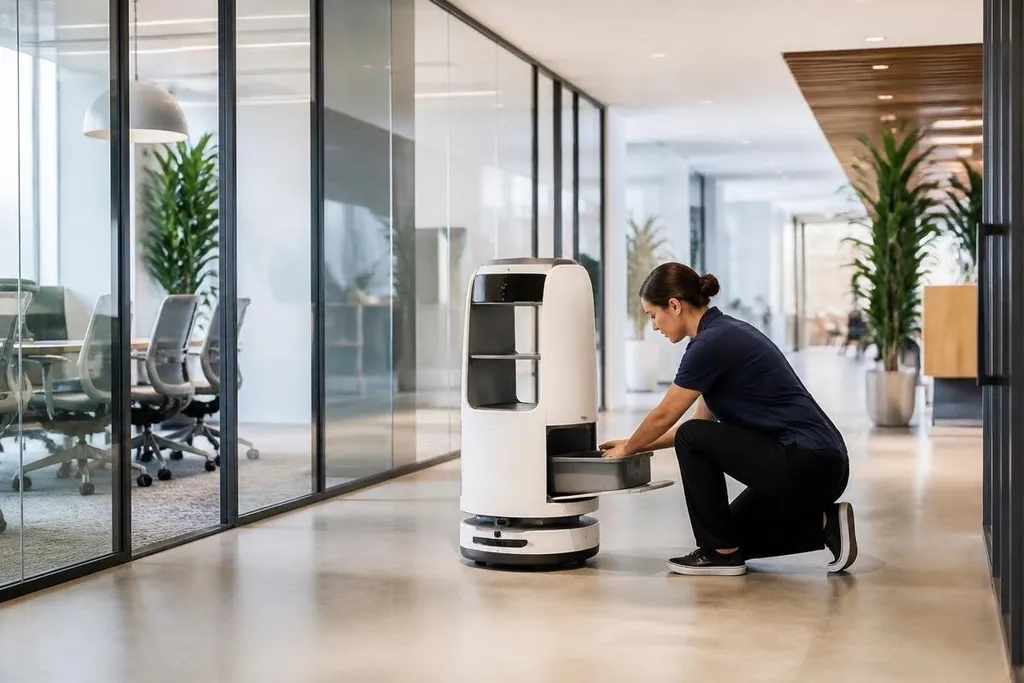
Office robots can create business opportunities in software, maintenance, training, and shared services. The machine matters, but the recurring work around it may matter more to a company deciding where to spend.
- Service contracts can cover repairs, updates, and remote help.
- Shared fleets let smaller offices pay for robot time instead of buying hardware.
- Specialist software can connect robots to doors, lifts, schedules, and building systems.
Where the business starts
An office robot needs a place to work and a clear task. Delivery robots can move items inside a building. Cleaning robots can run on set schedules.
Telepresence robots can give a remote worker a mobile screen and camera.
Each task creates a different buyer. A building manager may pay for cleaning, while a company tenant may pay for delivery or remote presence. That split creates room for firms that install, manage, or rent robots without making the hardware themselves.
The first sale may be small, too. A company might begin with one robot in one building, then add service hours after staff learn where the machine saves work. That path lowers the first cost and gives the supplier time to fix problems before a wider rollout.
Recurring revenue around the machine
Hardware sales happen once. Office robots need software updates, battery checks, replacement parts, site maps, and help when a lift or door does not respond as expected. Those needs can support monthly service plans or paid visits.
Remote monitoring is another possible service. A support team can review alerts, check task logs, and guide a worker through a fault. The value depends on response time and the number of sites one team can cover, so suppliers need clear limits in the contract.
Training can become its own line of work. Staff need to know where the robot may move, how to report a blocked route, and when to use an emergency stop. Building owners may also need help with access rules, lift controls, and floor changes.
A service firm can turn that training plan into a paid offer, while office robotics coverage from Robot24.com gives it a place to check the software, access controls, and building systems behind each job. The next issue is whether those systems can connect to the robot without costly site work.
The software and building gap
Many offices were built for people, not autonomous systems. A robot may need access to doors, lifts, charging points, and digital booking tools. A company that connects those systems could sell work that is harder to replace than a single robot feature.
The same work can also create demand for mapping and fleet software. One dashboard may show task status, battery level, fault alerts, and the location of several robots. The buyer gets one place to manage the fleet, while the supplier earns from software access and support.
Privacy changes the business case. Cameras and microphones can collect data inside workplaces, so suppliers need clear rules for storage, access, and deletion. A low hardware price loses its appeal if the buyer cannot approve the data setup.
Where the plan can fail
Office work changes from day to day. Chairs move, visitors block corridors, doors stay open, and people may not follow the robot's marked route. A task that works in a quiet lobby may need human help during a busy event.
That makes the service model more important than a polished demonstration. Buyers should ask how often staff must step in, who pays for a failed task, and what happens when the building changes.
No evidence pack is available for this topic, so exact market size, sales totals, and deployment counts would need named sources before publication. The business case should rest on the task, the cost of human help, and the service terms rather than a broad claim about office automation.
A buying and business checklist
Before starting an office robot service, check these points:
- Name the task: write down the work, location, hours, and expected result.
- Count human help: record how often a person must clear routes or restart work.
- Price the building link: include doors, lifts, charging, Wi-Fi, and site mapping.
- Set data rules: decide what cameras record, where it is stored, and who may view it.
- Write the service deal: state repair times, spare parts, software fees, and exit terms.
- Run a small trial: use one site long enough to measure completed tasks and staff time.
I'd start with a service that solves one repeated task in one building, then expand only after the records show lower staff effort without extra disruption.
The next useful number is not the robot's top speed. It is the cost of one completed task after software, support, building changes, and human help are included.